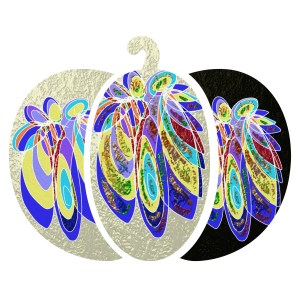
Roses

Finger painted in the new app and then collaged. Is anyone getting bored by these digital drawings? I am not going to keep posting these. I will try and do something else unless I can create something a bit better. There are lots of pens and tools on this app and it is interesting, but it’s going to take a while to get used to it….

A new drawing

I’ve found a new sketching app to download. I’ve used it before on my PC but not on my phone. It has a myriad of tools and a lot more flexibility than the previous sketching app I had. It’s not as intuative but as I sort of know my way round it I’ve got a headstart. This doodle was done in a few minutes. It was meant to resemble the Alfred Hitchcock cartoon but it doesn’t really. Still it sort of works I guess.

Orange face

Flood fill, low opacity, changes an image I drew a couple of days ago in Artrage. The white patches were created using either the eraser tool or a spray tool (I can’t remember). Adding light to a drawing can make an object look more three dimensional. As if a chink of light has found it’s way in through a gap in a curtained window or a hole in a roof.

Who is she? Could she be from an ancient Celtic tribe, perhaps a Bronze or Iron age person. I might make designs for jewellery for her.

Easter flowers

Flowers with chocolate eggs…

Can’t stop playing with my phone apps. I don’t know where I get all my ideas from. I hope you enjoy them. I like using multiple apps to get different results. Then you can use various filters. I really like the freedom of finger or stylus painting. I have only ever “built” an image with CAD when I did a course in computer aided design several years ago. Yes I could build boxes into a house, or circles and elipses into a face, but it’s not the same as the freedom of drawing. Yes I’ve used flower templates here, but I had to change and add to it. I get bored otherwise!

Cat drawing

Cat on a windowsill

Digital drawing using Artrage. I’ve found the tools to change the background so I used the canvas option. You can also chose a background colour. It looks as if I’ve drawn on canvas board but it’s totally digital. A bit rough round the edges but I like the way the cats eyes have turned out. Off to play some more….

Yo-yo’s

Twirling, whirling, swirling.

Artrage app using metallic digital pens and flood fill, then saving the image and adding extra lines to it, then flipping one side so it’s not quite symmetrical. The red and greens are complimentary colours so they stand out against each other where they haven’t blended together.

Doodling digitally

When you get new apps you have to learn how to use them. There are similarities and differences. You try one app and then transport an image into another app and try and alter it by using different filters and pens and markers. Each of these started with the bottom left sketch and then I took a screenshot of it ( I had to find out how on this new phone), then added more on top. It’s not going to be my favourite method of altering images, but I’m learning. I have found recently that drawing tools seem to be limited. Instead you get backgrounds and filters to alter faces and landscapes but using photoshop like tools, not paintbrushes or pens. I know I can do more if I had the tools. Perhaps I will find something more satisfying soon.