Tonights lifedrawings

IMG_20180328_232641_002IMG_20180328_232752_007IMG_20180328_232953_468IMG_20180328_233107_681IMG_20180328_233319_809

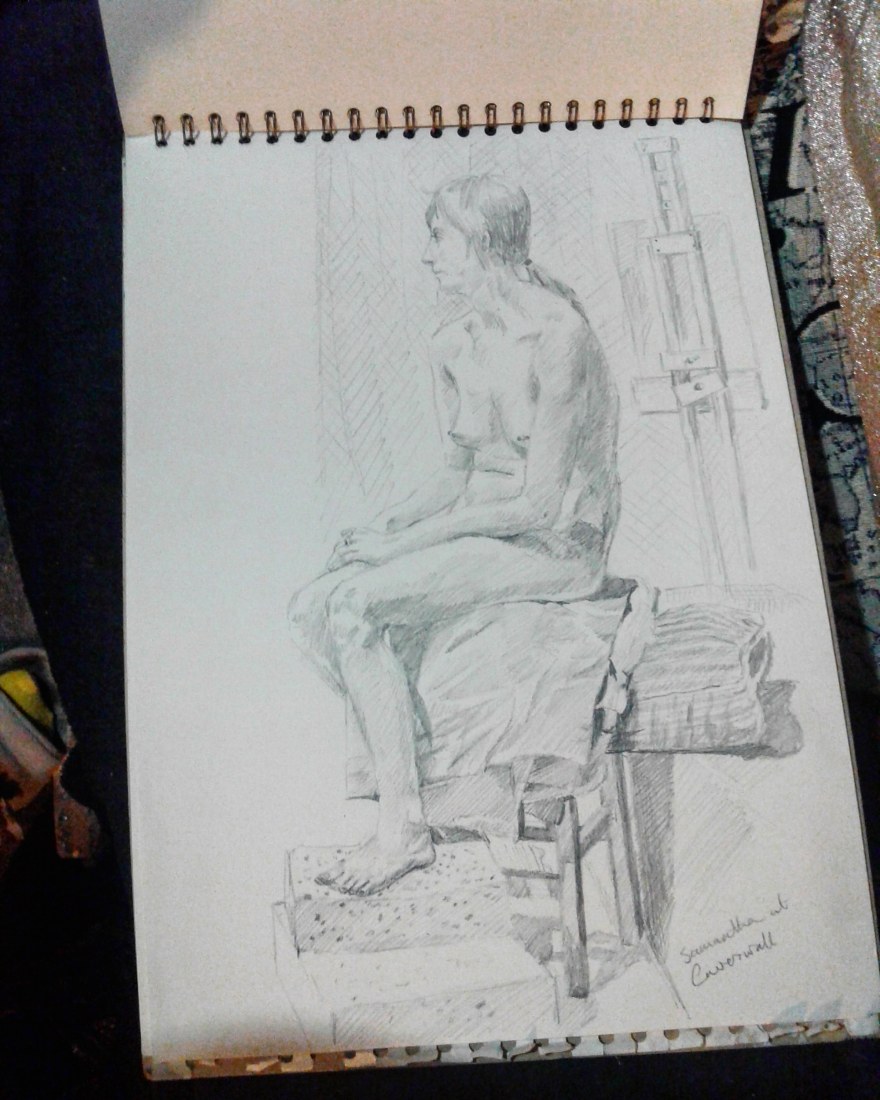
Tonight life drawings at Caverswall.

The model is studying yoga so her first pose was based on a yoga position. I was drawing with a very soft pencil so the final drawing is a bit smudged ( I use both sides of he page and the graphite from the pencil can transfer across).

The first two drawings were 15 minute poses, enough time to get a reasonable representation. The last three drawings were all the same long pose but I chose to try and draw it for half an hour before the break, which was not very successful as I struggled with the fore shortening. I am quite pleased with the models face and upper body, but the legs and hands are a bit too small.

The fourth drawing was also for half an hour. While I might have got the figure slightly more in proportion I think the face is wrong and the drawing is too tight .

Finally I gave up and moved so the last drawing was for half an hour drawn from the other side of the room. I was much happier with this and used the final few minutes to draw the surrounding objects and a couple of the other artists.

Life drawing does help with understanding the human body.

There are quite a few local classes, and if you want to learn how to draw or paint portraits, or even just so you have a working knowledge of the human body I would recommend joining one.

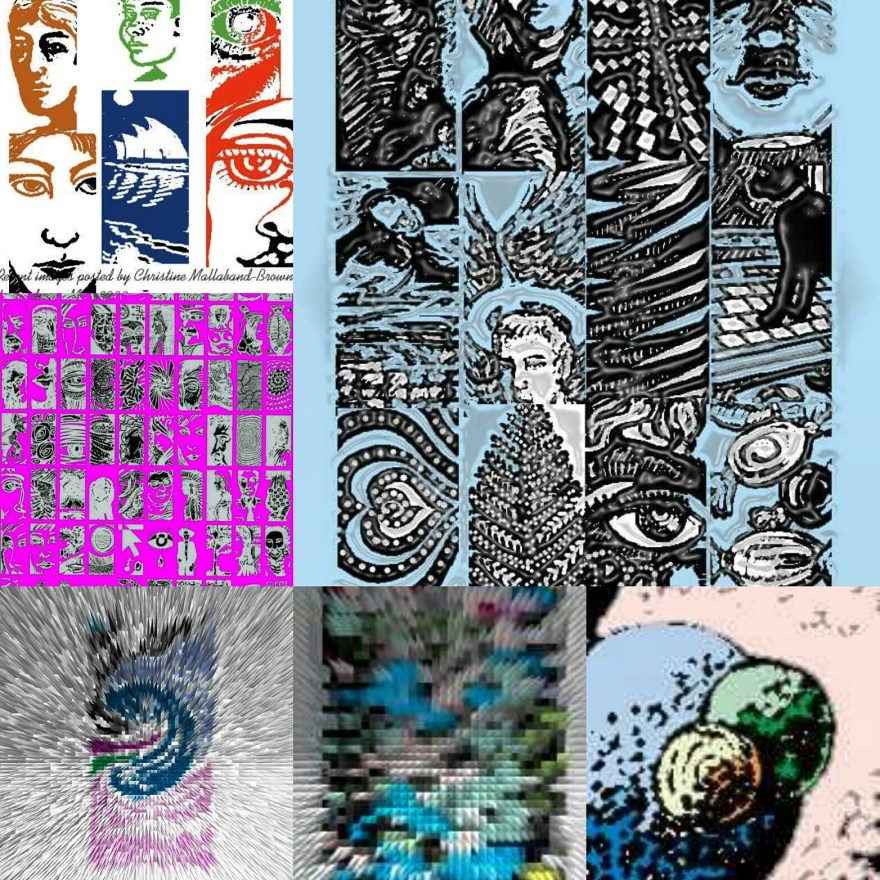
I like morphing drawings

You want to doodle, create, make mark’s? Then maybe a free app like ArtRage oils is for you.

Four pens, and a rainbow of colours which can be plain or metallic allows you to play and express yourself.

The colours do tend to smudge, like working with wet in wet paint, but you do get some interesting effects. Sometimes it can look like oil paint put on with a palette knife, or brushed thickly over a canvas.

I have tried quite a few apps, but this is one I keep coming back to. I guess because it is simple to use, and can be altered by building up layers.

You have to save the painting, then click share option, and export, which allows you to save the file to a sharable format. I’m not a computer expert but I have found if I don’t choose the share option I can’t find them on my tablet picture files!


You can see a series of drawings that I have done, gradually changing them. I ended up adding the horse’s head because of the two circles at the top left hand side of the next to last drawing.

Anyway enough blogging for tonight!

Life studies

This week’s model at life class.

I did 3 drawings, 2 were 10 minute sketches, then one over 35 minutes and finally an hour painting a small portrait.  I like trying to capture accurate images and I think I was quite successful this week.

One thing I tried was using two colours in the background , turquoise and gold . I think this worked quite well. I used only 5 colours, orange, black, gold, turquoise and white.

The lighting caused good shadows which help to define the shape of her body.

Overall I really enjoy honing my drawing skills.


Using Sketcher Free and Layout Apps

I use a few apps and thought I would show you a progression using them. Initially I chose a turquoise background in Sketcher Free, and using the ribbon pen and white then black colours I drew a unicorn but made it into what I called a Zebracorn, (or unizeb!)

I then changed it using a different pen to form wings, but went back to the ribbon pen to finish them off and try and lose the unicorns horn. I suppose you could call it pegazeb?

Another app you can use on Samsung galaxy tablets is Layout. It allows you to duplicate images, rotate them up or down or side to side..left to right etc. There are various options and some if them are shown below. Doubling, quadrupling or even making multiples of them.

Of course then it’s good to display them on line, so I put a lot of drawings on Instagram. That gives you the opportunity to use filters more – which is seen in the final picture, changing from turquoise to green.

So basically you can go from a finger painting to something much more complex using a couple of apps.

If its Wednesday its life drawing.

I have been going to Life drawing classes for a few months now after a break of several years. Drawing skills need practice, and you can lose them if you don’t.

I first did life drawing almost 40 years ago at college after drawing portraits of fellow pupils at school. I remember the person I first drew was a very interesting and always wore horn rimmed glasses and had her toes bandaged!

Later I did life drawing with the same group that I am in now but at Burslem School of Art (Arthur Berry was a student there). I only went for a couple of months and stopped due to ill health. But now I’m drawing again.

So what can you learn if you draw? The proportions and anatomy of a person. Working out how large feet are in relation to legs, arms etc. Recently I did a nice drawing, but when I stood back from it I could see the head was too large and the legs and arms too short. I think that’s a problem due to my eyesight. I tend to peer through my glasses then look over the top of them to see the sketch pad.  Looking very closely means you are not always checking the bigger picture.

I guess I should measure with a pencil, but to be honest I’m too busy drawing to remember half the time.

I think life drawing should be taught as a skill at college. I have heard that a lot of classes have stopped. Art and creativity are so important, keep drawing!

IMG_20180117_232309_683

Doodles in apps

A few years ago I started drawing on my computer. I used a Wacom tablet and went on various web sites to draw. I remember names like wet canvas, floating ginko, 2draw , but my favourite was a site called Youdraw where you could only use two black pens and two white pens. They aimed to collect 500000 drawings. And I contributed several thousand!

The drawings at the bottom of the page are mostly from Youdraw. I manipulated colours and patterns in Photoshop, and enjoyed the results.

There are many more of these drawings on my old computer…but its upstairs and covered in dust at the moment. I need to get it into my head to get it repaired.

Along came another site called sketchfu. It was fun to use as it had simple colour palettes and no need to create layers.  The drawing of a sphere broken up into sections was done there….

But then…I got a tablet a couple of years ago for Christmas. …

It doesn’t have many apps, or much memory. After adding an SD card I discovered it had enough memory to download some free apps.

I’m currently using sketcher for galaxy (the nude and picture of two women), then ArtRage oils which is another free app (pigeon) and sketcher free (dancing figure).

Each has its own characteristics, so it’s good to do different things on different ones. I found using a stylus helped with lines, but have lost it and need to get a new one.

I also manipulate images in a couple if other free apps…picsart which allows you to edit and filter pictures, and layout which is linked to instagram.

if anyone can recommend other interesting apps that are free and don’t take up too much memory let me know.


IMG_20171028_013714_905

Illustrating cards

My friend asked me to illustrate a few cards for her because she wanted to give them to some friends who have helped her out.

I took photos of various objects in her house, then used washes of acrylic paint and black marker pen to  finish them off. I also used a photo of a train in a book as she had specifically asked for a locomotive.

The results are quite sketchy and free, I hope she likes them…

Life drawing and all that…

Tonight was time for another life drawing class.

The model is very good at interesting poses. I do not know how she could remain so still, but it certainly made drawing easier. We did a series of short poses, then a long one which lasted the rest of the session.

One of the things I love to do is try and draw fine detail in pencil and coloured pencil. The sketchbook I am using is only about tablet size so what the drawings lack in scale I can try and make up for by adding details.

They are by no means perfect, but that’s the reason for practicing.

I decided to take my tablet tonight which has a few drawing apps on it. I used sketcher for galaxy, (I think its called) to do a final drawing. It was  difficult as I lost my stylus and need to get another one. So I ended up doing a glorified finger painting.

I find I have to swap tools on the app to try and get close to what I would find far easier to do in crayon or conte. However it makes for a looser drawing, and I think the result was quite interesting. I even found the way to colour the background. No doubt there will be more to follow!


Life studies

Some of the most difficult things to draw are people. They are all shapes and sizes, different skin tones, hair colours. So many things to try and get right. Thats why I have started going to a life drawing class again.


I think I’m reasonably good at drawing, but I do sometimes draw without looking properly. The first two pages of drawings here are 5 minute sketches. No real time to think, you have to be spontaneous to try and capture the whole figure before the pose ends.

The more worked up drawing took an hour. It was only after I had finished that I realised either the head is too large or the rest of the body is too small…I was doing something wrong, concentrating in the detail and not looking at the whole picture.

One thing I could have done is put the paper on an easel so that the surface would have been at a better angle. By tipping the drawing pad the top was further away, and there is a tendency to draw those areas slightly bigger. You can sometimes see the same effect if you have your drawing flat on a table, the image will look elongated when you pick it up. Sometimes the image will be skewed to one side if you drew with the paper at an angle. It’s all a learning curve. No pun intended.

The final picture was painted on a black canvas. I think this helped make it more interesting. The lower thigh is very foreshortened. I would have used the drawing of the pose to rectify this but I dont think its accurate enough. So I will continue to go to life drawing to improve my skills.

I would recommend drawing classes to anyone who wants to get better at sketching.

What else should I add?

IMG_20171123_164836_191I have so many ideas to share. I intend to add a few more pages but I need to know how much memory it takes. I just tried adding another picture and my device came up with one of those “not enough memory to continue” messages. Does anyone else have a similar problem? (As you can see I have now worked it out).

It feels like a new door is opening for me, I hope I have the courage to go through it!

If I can resolve the issue I will be adding pages about animal portraits, sketching, life studies and photography.  Wish me luck!