Mug design

Badly drawn mug with a photo superimposed on it. I was just trying out the idea of what would work on a mug. I’m sure there are templates so you can see how things would work, but I don’t know which application is the best to choose? I think spoonflower and red bubble have them but I don’t know of there is a charge to use them. The pattern is a collage of a photo of my crocheted blanket, it was square so I had to draw curves so the top and bottom fitted into the shape. It might work?

Art experiments

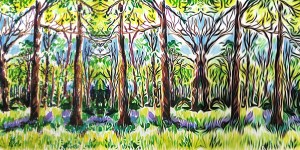
Progression from original digital drawing to filtered /distorted images. Using Artrage and then photodirector and Instagram filters. I do love to experiment with digital art. I like pushing the envelope as they say…

I could have used more colour but I tried a black and white filter after I drew the original and used a filter on Instagram that allows you to tilt and twist images.

Tile design

I do like a good tessellation, I’ve turned my two versions of sunflowers into tiles to see what it would look like in a tile pattern. I used incollage app to do this. I think it looks OK but I wouldn’t want a whole wall decorated with it, a bit too over the top! I might try this again but rotate the tiles so they fit in with each other.

Variations

Editing a digital drawing that I made in Artrage. I used photodirector to create several variations, then incollage to create a compilation of them so you can see the steps I took.

Does it look like a good portrait? No. Its more of an abstract idea. I could try using this on an actual painting, I will have to decide if I can do it as this is a finger painting again.

Flowers experiment

Digital play

I decided to play with digital drawing again did a drawing in the Artrage app and them modified it in the Sketchbook app. I then used the incollage app to create a collage of the steps I had taken. Finally I used an Instagram filter to change the hues of the images. I did all of this as a finger drawing. I need to try using a stylus for a more controlled effect.